How to Use a Kakobuy Spreadsheet
Go from an idea to a useful shortlist: search the spreadsheet, compare the same listing, check the measurements and buying route, then review your order before shipping.
Use this site to shortlist, open the same product in the external catalog, confirm a supported source and selected option, then check measurements, your own warehouse photos and the full parcel budget.
What you will learn
- The collection filter and full-catalog Search have different scopes.
- Product links open the matching listing in a new tab.
- Purchase and international delivery are separate decisions.
1. Find a product and set an item budget
Start with a category or use the complete spreadsheet. The collection search filters our selected records; the header Search button opens a broader search in the external catalog. They serve different purposes.
Use Min USD and Max USD to set a range, or choose a budget preset. The complete recorded price range must fit your budget, not just its cheapest option. Collection filters cover the selected collection across its pages. The homepage filters only its seasonal preview.
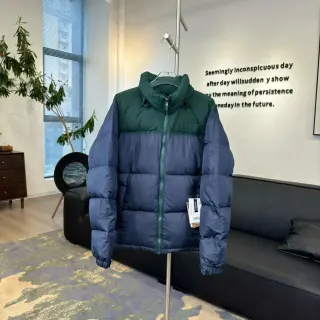
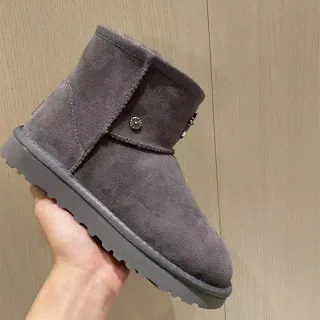
- Choose jackets, boots or scarves if you are building a winter shortlist.
- Combine a search term with the price range, then sort the matching results.
- If a price is missing, confirm it on the exact listing; it cannot qualify for a price-filtered result.
2. Open and compare the exact listing
A product image, title or View product button opens that exact English listing in a new tab. Your spreadsheet page stays open so you can compare another item. Research notes opens our local page with the recorded details.
Check the product reference, colour, selected size and included pieces. A listing photo may show several colours or a complete outfit while the price applies to just one option. Save the exact product reference before moving on.
- Compare the current option price with the recorded reference estimate.
- Check seller specifications and the listing’s source information.
- Seller pictures and generated try-on images are not evidence of your received order.
3. Confirm the buying route before paying
The spreadsheet discovers products; it does not place orders. Check the current source link and confirm that your chosen buying service accepts that exact listing. A catalog entry does not establish compatibility with every agent.
If a supported source link is available, follow the agent’s current order process and confirm seller, colour, size, quantity and domestic delivery. For account, payment or return questions, contact the service handling your order.
4. Compare measurements, not only size labels
Use a garment or pair you already wear as a reference. Read the seller’s measurement diagram and check whether values describe the body, a flat garment, a circumference, foot length or insole length.
For a winter jacket, compare it with a jacket that fits over your intended layers. For boots, check the exact footwear chart and intended socks. Do not apply one universal size-up rule.
5. Review your own order’s warehouse photos
After the agent receives the item, match its order reference, colour and size to your selection. Ask for a specific measurement or close-up if a detail could change your decision. Confirm any inspection charge first.
Resolve a wrong option or visible defect while the service’s return or exchange process is still available. Photographs can show visible condition and requested measurements; they cannot establish authenticity, material composition or long-term performance.
6. Compare the complete delivered budget
A spreadsheet price is an item-price estimate. Add the quoted domestic delivery, buying-service or payment charges, international shipping and any other confirmed costs in the same currency. Keep unknown charges marked as unknown.
Ask for packed weight and dimensions, especially with bulky outerwear and boots. Use the route’s current quote, billing method, permitted goods and delivery terms for your destination. This guide does not promise a shipping rate or transit time.
7. Keep the records through delivery
Use the carrier reference supplied for your parcel. Save the selected listing, options, relevant service replies and shipping record so a later question can be traced to the same order.
On receipt, compare contents, quantities, sizes and colours. Record visible damage and retain packaging when reporting an issue to the service that arranged the order.